Get Your Superpowers Players & Community
Share the 24-player campus without drama—and know where official news lands.
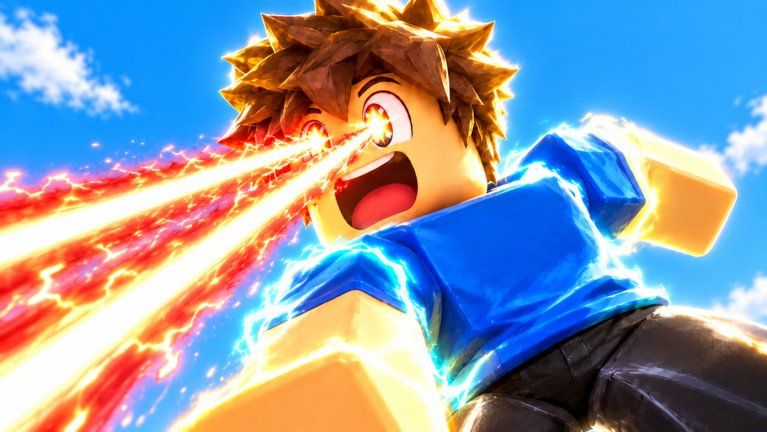
The Players Hub covers the human side of Get Your Superpowers!: who makes the game, how to follow announcements, and how to behave on shared Roblox servers. Smiling! publishes the experience on place 113808375515342 (universe 10770566554). It is an online multiplayer Simulation / Idle title with a 24-player server cap, so community habits matter as much as training rates.
This is a fan wiki, not an official Smiling! site. For authoritative patch text, prefer the Roblox game page, the creator’s group wall / social posts, and in-experience announcements. Cross-check timelines on our Updates Hub and Changelog.
Child pages
- Multiplayer Tips — 24-player crystal etiquette, chat hygiene, reports
Who is Smiling!?
Smiling! is the Roblox group / creator credited on Get Your Superpowers!. Favoriting the experience, following the group (when available), and enabling Roblox notifications are the lowest-friction ways to hear about codes, shutdowns, and content drops. When a new string goes live, redeem it through the in-game Codes button and confirm on Codes—do not trust random accounts DMing “free power” links.
How to follow updates without burnout
- Favorite the official game page so it stays on your continue list.
- Follow Smiling! on Roblox and any linked socials they publish on the group page.
- Skim this wiki’s Updates after you notice a shutdown or UI change.
- Keep Codes bookmarked; November 2026 trackers show no active codes, but that can change overnight.
- Use the Session Checklist so news reading turns into in-game action.
Avoid joining ten “leak” Discords that resell scripts. If you research automation anyway, read Scripts and understand ban risk before you type anything into an executor.
Server etiquette on a 24-player campus
You will share training pads, crystal-themed props, and screenshot spots with other students. Good defaults:
- Do not body-block tutorial interactables while a new player is clearly stuck
- Hop servers once if a pad is overcrowded instead of arguing in chat
- Keep advice short and kind—“train here, open Codes there”—instead of spoilers shouted in all caps
- Respect privacy: no doxxing, no harassment, no recording people who ask you to stop
- Trade or tip only through Roblox-safe channels; never off-platform payment for “admin powers”
Idle games attract AFK farmers. That is normal. What is not normal is crashing servers, spamming chat macros, or harassing someone for using a legitimate power you have not unlocked yet.
Helping new players (and yourself)
Point beginners to Getting Started, Controls, and How to Get Powers. Mention early badges—Super Hero Student, Test Passed!, Powered Up!—as confidence markers, not as flexes. If someone asks for the “best” element among Fire, Ice, Wind, and Lightning, send them to Tier List with the caveat that rankings shift after patches.
When you are the learner, ask one clear question at a time and share what you already tried. Community goodwill lasts longer that way.
Fair play and account safety
- Enable Roblox 2-step verification
- Never share passwords or cookie logs for “free powers”
- Treat unsolicited script files as malware until proven otherwise
- Report exploiters through Roblox’s tools rather than starting chat wars
- Remember paid boosts are optional; Progression Tips focuses on the free loop first
What this hub is not
It is not a celebrity roster of every famous YouTuber, and it is not a player-trading bazaar. As the game’s visit count grows past the multi-million mark, we may add child pages for notable creators or community events. Until then, use this hub for orientation and etiquette, then return to gameplay guides on the Guides Hub.
Stay friendly on campus, follow Smiling! for the first word on patches, and let this wiki translate those patches into practical steps across Updates, Codes, and Tools.
Frequently Asked Questions
Quick answers for Get Your Superpowers players.
Who created Get Your Superpowers!?
Smiling! on Roblox. Follow their group and the official place page for the most reliable announcements.
Is this wiki official?
No. It is an unofficial fan resource. Prefer Smiling! and the Roblox game page for authoritative news, then use our Updates and Codes hubs to organize that info.
How many players are on a server?
Server size is 24. Share training spots politely and hop if a pad is overcrowded.
Where should I send new players?
Getting Started, Controls, and How to Get Powers. Mention the Session Checklist for every login.
Are scripts allowed?
Third-party executors violate Roblox rules and risk bans. Our Scripts hub exists for awareness only—use at your own risk.