Get Your Superpowers Getting Started Guide
Ordinary student to early power milestones—without wasting your first session.
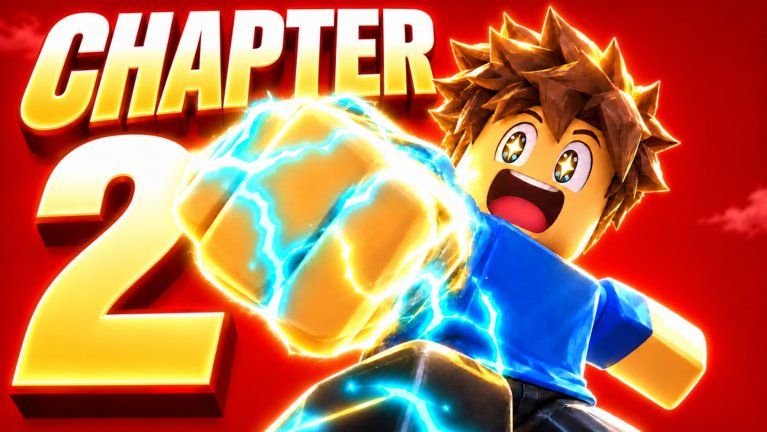
This Getting Started guide is for players opening Get Your Superpowers! for the first time. The official Roblox experience by Smiling! (place 113808375515342, universe 10770566554) is a Simulation / Idle game released 2026-10-12. You begin as an ordinary student on a school campus themed around a glowing purple crystal, then unlock superpowers—media and gallery shots highlight elemental flavors such as Fire, Ice, Wind, and Lightning. Servers support up to 24 players, so expect a shared map rather than a solo instance.
Public guides are still catching up to live patches. Use this page as a calm first-hour checklist, then deepen with How to Get Powers, Controls, and Progression Tips.
Before you press Play
- Confirm you are on the correct place page titled Get Your Superpowers! by Smiling!—similar Roblox titles exist; wrong game means wrong codes and badges.
- Update Roblox on desktop or mobile so UI scale and touch targets behave normally.
- Decide whether this session is active learning (read every tooltip) or idle background (leave the client open after you understand the loop).
- Open this wiki’s Session Checklist in a second tab for a repeatable login routine.
- Skim Codes once. As of November 2026, public trackers show no active codes, but the in-game Codes button still matters for future drops.
Minute 0–10: Orient on campus
After loading, stand still and scan the HUD. Click or tap every obvious button once—especially anything labeled Codes, powers, inventory, shop, or settings—so you map the UI before grinding. Read Controls if a button is unclear on your device.
Walk the campus and look for:
- The glowing purple crystal and nearby interact prompts
- Training or idle spots that raise a visible meter while you stay nearby or hold an action
- NPCs, boards, or UI panels that explain tests, classes, or power trials
- Other players demonstrating abilities (useful visual reference on a 24-player server)
Do not rush past tutorial text. Idle games hide progression rules in short sentences that never reappear.
Minute 10–30: Prove the growth loop
Your job in the first half hour is to prove how power grows, not to max a tier list. Pick one training action the game emphasizes and stick with it long enough to see numbers move. Note whether progress continues while you AFK, requires repeated clicks, or mixes both.
Track three things in a notepad or screenshot:
- What the primary meter is called in your build
- Whether leaving the game open still increases it
- Which badge or popup fired first
Known early badges include Super Hero Student, Test Passed!, and Powered Up!. Earning any of them is a useful signal that you cleared an intended gate. Exact trigger text can shift with patches—celebrate the unlock, then keep training.
When a power or elemental theme appears (Fire, Ice, Wind, Lightning, or others), open How to Get Powers for a structured unlock checklist. Avoid spending scarce currency on cosmetics until you understand which upgrades feed the idle loop.
Minute 30–60: Set a sustainable session
By the end of hour one you should:
- Know where the Codes button lives and have tested the redeem field (even if every public code fails today)
- Have a default training spot you can return to after deaths, resets, or rejoin
- Understand whether multiplayer presence helps, hinders, or is mostly cosmetic for your current stage
- Bookmarked Progression Tips for efficiency ideas on later logins
- Checked Updates / Changelog so you are not following outdated advice from launch week alone
If friends are joining, agree on etiquette before crowding a small training prop—see Players for community norms and how to follow Smiling! announcements.
Common first-day mistakes
Ignoring the Codes UI because trackers are empty. Codes can appear after like milestones or apology patches. Knowing the button path saves time when a string goes live.
Comparing yourself to highlight videos. Trailer and gallery shots emphasize flashy elemental effects; your first hour is about meters and badges, not cinematic combos.
Buying random boosts immediately. Learn the free loop first. Paid shortcuts only make sense once you know which bottleneck is real.
Assuming every similar title shares systems. Steal a Superpower and classic training simulators are different games. Stick to this place’s UI and our Tier List once you have multiple options to rank.
Skipping wiki cross-checks after a patch. Idle games change rates quietly. Re-read Changelog when something feels slower or faster overnight.
After your first session
Log out with a short note: highest meter seen, badges earned, powers unlocked, and any confusing UI label. Next login, run the Session Checklist, peek at Codes, then resume the same training spot before experimenting. When you are ready to optimize AFK windows and upgrade priorities, move to Progression Tips. For script-related research, use Scripts cautiously and understand Roblox ToS risk.
You do not need a perfect build on day one. You need a clear campus map, a proven growth action, and habits that scale as Smiling! ships updates. Return to this Getting Started page whenever you create an alt account or help a friend join the same 24-player servers.
Frequently Asked Questions
Quick answers for Get Your Superpowers players.
Is Get Your Superpowers! free to start on Roblox?
Yes. Join the official place by Smiling! with a Roblox account. Optional Robux purchases may exist later; learn the free idle loop before spending.
What should I do in my first hour?
Finish onboarding, map the HUD (including Codes), find a training spot that moves a meter, and chase early badges like Super Hero Student, Test Passed!, or Powered Up!
Are there working codes right now?
As of November 2026, public trackers list no active codes. Still open the in-game Codes button each session and recheck the Codes hub after updates.
Does the game support multiplayer?
Yes. It is an online Roblox experience with server size 24, so you share the campus with other players while you train.
Where do I go after this guide?
Read How to Get Powers, then Progression Tips and Controls. Use the Session Checklist every login and watch the Updates hub for patches.