Get Your Superpowers Guides & Walkthroughs
From first join to smarter training sessions—every how-to in one place.
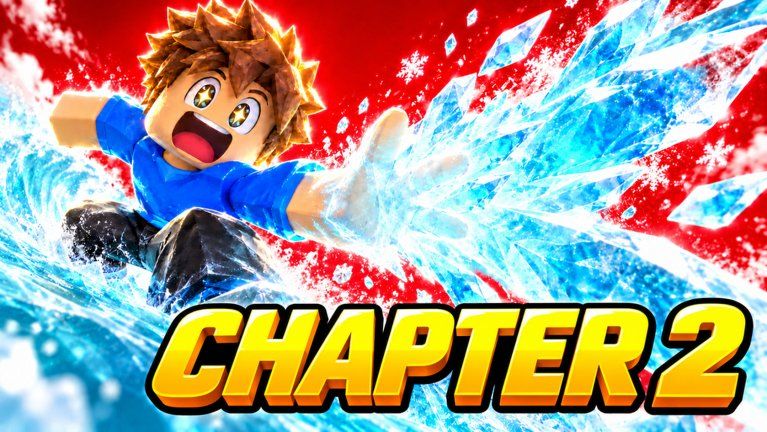
Welcome to the Guides Hub for Get Your Superpowers! by Smiling! on Roblox. This experience drops you onto a school campus as an ordinary student, then pushes you toward elemental powers—Fire, Ice, Wind, Lightning, and more—through a simulation / idle training loop. Servers hold up to 24 players, so you will often share the map with others while you grind stats, chase badges, and test new abilities.
Public write-ups for a game released on 2026-10-12 are still thin. Treat this hub as a practical map: start with day-one steps, learn how unlocks appear in-client, then use efficiency tips so idle time actually moves your power curve. Whenever a UI label, quest text, or code popup changes after a patch, re-check in your own session and cross-read our Updates Hub plus the Changelog.
Start here
- Getting Started — first join, campus orientation, badges, and a safe first-hour plan
- How to Get Powers — unlocking and reading elemental abilities without spoiling your own discovery
- Progression Tips
- Badges — Super Hero Student, Test Passed!, Powered Up!
- Campus Training — crystal loops and pad etiquette — idle efficiency, session goals, and what to verify after updates
- Controls — movement, UI buttons, Codes entry, and mobile vs desktop habits
How these guides fit the rest of the wiki
Guides answer how and why. Pair them with other hubs when you need a different angle:
- Codes — redeem promo gifts when Smiling! drops them; as of November 2026 trackers list none active, so always verify in-game
- Tier List — community rankings of powers and loadouts once you have options to compare
- Scripts — automation notes for players who research that side of Roblox (use at your own risk)
- Players — creator group, community etiquette, and how to follow announcements
- Tools — checklists and session helpers, including the Session Checklist
- Updates — patch awareness so guide advice stays honest
Learning systems when docs are sparse
Idle / simulation Roblox games often teach through UI tooltips, glowing interactables, and badge popups rather than a long manual. In Get Your Superpowers! the glowing purple crystal on campus is the thematic hook: ordinary student → powered-up hero. Use that fantasy as a navigation cue—investigate crystal-adjacent areas, training spots, and any menu that tracks power growth.
A reliable learning loop looks like this:
- Join a fresh server and complete whatever onboarding prompts appear without skipping text.
- Open every button on the HUD once so you know where Codes, inventory, powers, and settings live.
- Note which actions raise a visible meter (power, XP, training score—labels vary by build).
- Leave the game open during safe idle windows, then compare before/after numbers.
- Write down badge names when they unlock—Super Hero Student, Test Passed!, and Powered Up! are known freebie-style milestones that confirm you cleared early gates.
If something in a guide disagrees with your live client, trust the client. Then check Changelog for recent launches or balance notes, and skim Codes in case a new reward changes early pacing.
What “good progress” looks like early
You do not need a perfect meta on day one. Aim for clarity:
- You can move around campus without getting stuck in UI dead ends.
- You know how to open the Codes panel even if no codes work today.
- You have triggered at least one early badge or power-related milestone.
- You understand whether your growth is mostly active clicking, AFK idle, or a mix.
- You have bookmarked this wiki’s Getting Started and Progression Tips pages for the next session.
Later, when you own multiple elemental kits, use the Tier List to decide what to invest in, and keep the Session Checklist open so every login claims dailies, checks codes, and trains with intent.
Content honesty policy
This wiki refuses invented drop tables, fake YouTube IDs, or fabricated code strings. When information is incomplete, we say so and teach you how to confirm it inside Roblox. That keeps Guides, Updates, and Codes aligned as the experience grows past its first months of visits (already past the multi-million mark on the place page).
Explore the child guides above, then branch into community and tool pages when you are ready for longer sessions with other players on the 24-person servers.
Frequently Asked Questions
Quick answers for Get Your Superpowers players.
Which guide should I read first in Get Your Superpowers!?
Start with Getting Started for the first-hour campus loop, then How to Get Powers, then Progression Tips once idle training is clear.
Do these guides replace the in-game tutorial?
No. Always finish onboarding prompts in Roblox first; guides add structure, cross-links, and efficiency habits around what the client already teaches.
Why do some details say to verify in-client?
The game is new (released 2026-10-12). Public docs lag patches, so UI labels and unlock order can change—confirm meters, buttons, and rewards in your own session.
Where do codes and tier rankings live?
Codes are on the Codes hub; comparative rankings are on the Tier List hub. Guides link both when they affect early progression.