Get Your Superpowers Codes
Active list, expired archive, and how to redeem every drop.
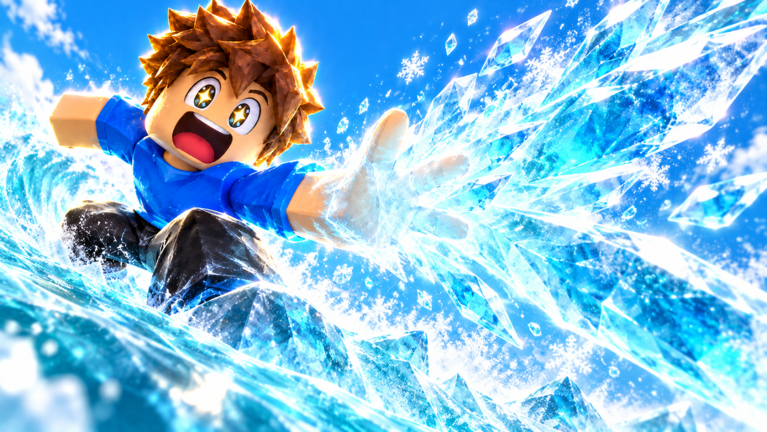
Welcome to the Codes Hub for Get Your Superpowers! — the Roblox simulation / idle experience from the Smiling! group where you start as an ordinary student and leave campus as something SUPER. Promo codes are one of the fastest ways to grab free boosts when the developers drop them, so this page is your always-on checklist for active rewards, expired strings, and safe redemption.
As of the 2026-11-07 tracker check (still true through mid-November 2026), major code trackers still list no working codes and no expired codes yet. The game launched on 2026-10-12, so the codes pipeline is still young. Treat every list on the internet as temporary: Smiling! can publish a new string on Discord, the Roblox group wall, or social media at any time, and older codes can stop working without warning after a patch.
Current working codes
| Code | Rewards | Status | Notes |
|---|---|---|---|
| — | — | None listed | Re-check Discord / group / social after updates |
When a real code appears, we will add the exact string, the reward package (currency, XP boosts, cosmetics, or power-related items), and any known expiry window. Until then, bookmark this hub and pair it with the step-by-step How to Redeem Codes guide so you are ready the moment a drop lands.
Expired codes
| Code | Former rewards | Expired |
|---|---|---|
| — | — | None archived yet |
Keeping an expired table matters even when it is empty: once the first wave of launch or event codes rotates out, players search for “why won’t this code work?” An archive here prevents confusion and stops you from wasting time on dead strings pasted from outdated screenshots.
How codes usually work in this game
Get Your Superpowers! exposes a dedicated Codes button in the in-game UI. The flow is intentionally simple:
- Join a live server (shared multiplayer, server size 24).
- Open the Codes button from the HUD.
- Type the code carefully — spelling and capitalization matter.
- Press Redeem and wait for the confirmation toast or inventory update.
If nothing happens, close and reopen the Codes panel once, confirm you are connected, and make sure you did not already redeem that string on the same account. Full troubleshooting lives on How to Redeem Codes.
Where Smiling! announces new codes
Developers typically seed codes through:
- Official Discord announcements or giveaway channels
- The Roblox group wall / shout for Smiling!
- Occasional posts on social platforms tied to milestones (visit goals, badge unlock waves, or update trailers)
Codes are often tied to content beats: a new elemental showcase, a badge push (for example Super Hero Student, Test Passed!, or Powered Up!), or a campus courtyard event around the glowing purple power crystal. When you see a trailer or patch note mentioning free rewards, come back here and cross-check the string before sharing it with friends.
Why redeem codes early in progression
Get Your Superpowers! is an idle / training-style loop. Early boosts matter because punching, lifting, and courtyard training compound over time. A free currency pack or XP multiplier claimed on day one shortens the gap between “ordinary student” and your first reliable elemental kit — Fire, Ice, Wind, or Lightning as shown in the POWERS UI.
Pair code rewards with smart progression reading:
- Getting Started for your first-hour campus loop
- Elemental Powers Tier List when you decide which affinity to lean into
- Tier List Hub for the wider ranking philosophy
- Updates Hub so you know whether a patch just invalidated old strings
Codes etiquette and account safety
Only redeem codes inside the official Roblox client through the game’s own Codes button. Never paste a “code” into a third-party website that asks for your Roblox password, cookie, or session token. Real codes never require you to log in on a random site. If a social post links somewhere other than Roblox or the official Discord, treat it as suspicious.
Also skip “private server only” or “admin code” scams. Community scripts and command menus are a separate topic with their own risks; codes themselves should always be plain redeemable strings inside the game UI.
Keeping this hub honest
This wiki will not invent filler codes to look “complete.” When the board is empty, we say so. When Smiling! ships a drop, we document rewards and status as accurately as community reporting allows, then move dead codes into the expired table. Revisit after major updates — including the 2026-11-08 place Updated stamp — visit milestones (~1.4M+ visits, ~7.1k favorites), or Smiling! group announcements.
If you are brand new, redeem whatever is live, then jump into Guides and the Players hub for multiplayer tips on busy 24-player campus servers. Power fantasy starts in the courtyard — codes just make the first spark arrive faster.
Frequently Asked Questions
Quick answers for Get Your Superpowers players.
Are there any working Get Your Superpowers codes right now?
As of the 2026-11-07 tracker check (and still empty mid-November 2026), lists show no working codes and no expired codes yet. Check this hub, Discord, and the Smiling! Roblox group after updates — new drops can appear without a long warning.
Where do I redeem codes in Get Your Superpowers?
Open the in-game Codes button, type the code exactly, then press Redeem. Full steps and troubleshooting are on the How to Redeem Codes page.
Do codes work on mobile and console?
Yes, as long as you play through the official Roblox client on PC, mobile, or console and use the game’s Codes UI on your account.
Why did my code say invalid?
Common causes: typo or wrong capitalization, already redeemed on that account, expired after a patch, or a fake string from an unofficial site. Re-check the active table here.
Where does Smiling! post new codes?
Usually Discord, the Roblox group wall/shout, and occasional social posts around milestones or update trailers. Bookmark those channels alongside this hub.